
onagofly1.7.1214 - Get APK
You'll be able to download in few seconds.
Publisher Description
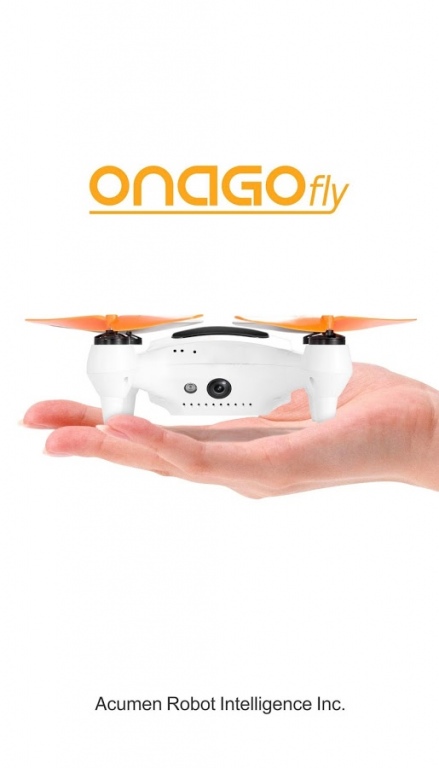
Onagofly is a palm-sized drone with GPS Auto-follow and high Res Video Camera to Take Better Photos and great video,the Onagofly is controlled with an iOS or Android device and is primarily designed to snap aerial selfies or record 1080p full-HD video while it follows you around in the air. A free mobile app lets you fly the device via a direct Wi-Fi connection, which stretches up to 30 meters (98 feet), by tilting your smartphone or with onscreen keys. Built-in GPS syncs with the GPS in your phone so the Onagofly will automatically track your movement. There are also passive infrared sensors on each side for basic avoidance of obstacles within 20cm of the drone. Plus, it measures only 5 by 5 by 2 inches (125 by 125 by 46 mm) and weighs in at just 140 grams (o.3 pounds) -- less than the FAA's 250-gram weight to require registration -- so it's something you can just toss in a bag.
About onagofly
The company that develops onagofly is Longterm. The latest version released by its developer is 1.7.1214.
To install onagofly on your Android device, just click the green Continue To App button above to start the installation process. The app is listed on our website since 2016-12-16 and was downloaded 0 times. We have already checked if the download link is safe, however for your own protection we recommend that you scan the downloaded app with your antivirus. Your antivirus may detect the onagofly as malware as malware if the download link to com.sunshine.onago is broken.
How to install onagofly on your Android device:
- Click on the Continue To App button on our website. This will redirect you to Google Play.
- Once the onagofly is shown in the Google Play listing of your Android device, you can start its download and installation. Tap on the Install button located below the search bar and to the right of the app icon.
- A pop-up window with the permissions required by onagofly will be shown. Click on Accept to continue the process.
- onagofly will be downloaded onto your device, displaying a progress. Once the download completes, the installation will start and you'll get a notification after the installation is finished.
Program Details
System requirements
Download information
Pricing
Version History
version V1.7.1214.beta
posted on 2016-12-16
1. Enable to enter the tutorial mode after we choose Mode 1 or Mode 2 for controlling the drone. Resolve the problem that Mode 2 cannot be opened.,2. During its flying, if the compass is calibrated, tab the U-Turn button,Onagofly 1 plus can make a U-turn; if it's not,compass error will pop up and a calibration is required.,3. Fix the problem that downloading button disappear after you logout from Onagofly video player.,4. Fix the problem that the app crashed on some phone.,……
version V1.6.912.beta
posted on 2016-09-14
1. Reduced the latency during live streaming.,2. Keep working without abort while weak wifi & stuck video transportation,The mobile device will reconnect to the Wifi when it reaches to the Wifi coverage.,3. Simplified the UI of the App.,4. Added the training mode.,5. Solved the problem of the black screen or App crash when switching mode between photo and video.
Disclaimer
External Download
We do not host onagofly on our servers. We did not scan it for viruses, adware, spyware or other type of malware. This app is hosted by Galad and passed their terms and conditions to be listed there. We recommend caution when installing it.
The APK Download link for onagofly is provided to you by apps112.com without any warranties, representations or guarantees of any kind, so access it at your own risk.
If you have questions regarding this particular app contact the publisher directly. For questions about the functionalities of apps112.com contact us.
